




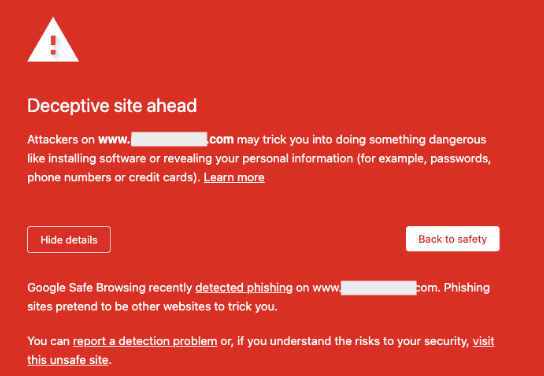
WordPress Hacked and Redirected: How Reinstalling Core Files Fixed the Issue

The Problem: WordPress Hacked and Redirecting Visitors
The issue started when clicking my website redirected me to a different page that I did not recognize. In some cases:
- The homepage redirected automatically
/wp-adminwas inaccessible or behaved abnormally- The redirect occurred randomly or only on certain devices
These symptoms strongly indicate a compromised WordPress installation, usually caused by malware injected into core files.
How WordPress Sites Get Hacked
WordPress hacking and redirects often happen due to:
- Outdated WordPress core files
- Vulnerable or nulled plugins and themes
- Weak admin or FTP passwords
- Poor server security permissions
Once compromised, attackers commonly inject malicious redirect code into wp-admin or wp-includes, making the problem difficult to trace from the dashboard.
Why Reinstalling WordPress Core Files Works
WordPress consists of:
- Core system files (wp-admin, wp-includes)
- User content (wp-content)
- Configuration & database
Redirect malware usually hides inside core files, not your posts, pages, or uploads.
By reinstalling the WordPress core:
- All infected system files are removed
- Clean, official WordPress files are restored
- Your content and database remain untouched
This makes core reinstallation one of the safest and fastest fixes for hacked WordPress redirects.
The Fix: Reinstall WordPress Core via Terminal
Using SSH access, I removed the infected core directories and replaced them with a clean WordPress copy.
Commands Used
cd /var/www/html/your-site rm -rf wp-admin wp-includes
wget https://wordpress.org/latest.tar.gz
tar -xzf latest.tar.gz cp -r wordpress/* . rm -rf wordpress latest.tar.gz
What These Commands Do
- Navigate to the WordPress installation directory
- Remove compromised core directories
- Download the latest clean WordPress release
- Replace infected files with original core files
- Remove temporary installation files
This process does not delete themes, plugins, uploads, or database data.
The Result
After reinstalling the WordPress core:
- The redirect stopped immediately
- The site loaded normally
- Admin access was restored
- No content or settings were lost
This confirmed that the site had been hacked at the core-file level, not at the plugin or database level.
Critical Post-Cleanup Actions
Fixing the redirect is only part of the solution. To prevent reinfection:
- Change all passwords (WordPress, database, SSH/FTP)
- Reinstall plugins and themes from trusted sources
- Check
.htaccessfor malicious redirect rules - Install a WordPress security plugin
- Keep WordPress core, themes, and plugins updated
Conclusion
If your WordPress website is hacked and redirecting visitors, reinstalling the core files is a proven and reliable fix. It restores the integrity of your site without affecting your content and allows you to regain control quickly.
Ignoring redirect issues can lead to blacklisting by search engines and loss of user trust. Acting fast—and correctly—makes all the difference.
Get in touch with us to resolve your WordPress issues Today